Top Free Construction Project Management Softwares – 2025-26

Top Free Construction Project Management Softwares - 2025

The top 5 free construction project management software tools in 2026 are ClickUp (best all-round, unlimited users), OrangeScrum (best for open-source resource management), Asana (best for visual task planning), Clockify (best for time tracking & billing), and OpenDocMan (best for document management). Most offer free basic plans check feature limits and integration capabilities before committing to a paid tier.


Table of Contents

  1. What is Construction Project Management?
  2. Key Responsibilities of a Construction Project Manager
  3. Why Use Construction Project Management Software?
  4. Essential Features to Look For
  5. What to Consider Before Choosing a Tool
  6. Top 5 Free Construction Project Management Software
  7. Build Your Construction Management Career
  8. FAQs

What is Construction Project Management?

Construction project management (CPM) involves the planning, execution, and control of infrastructure and building projects. It ensures projects are delivered on time, within budget, and to high-quality standards.

In regions like Telangana, Maharashtra, Kerala, Karnataka, and Tamil Nadu, demand for skilled project managers is steadily increasing due to rapid urban development and infrastructure expansion driving companies toward free construction project management software to enhance productivity, collaboration, and efficiency.

In today’s dynamic construction landscape, success depends not just on manual supervision but on smart project management tools and practices such as Building Information Modelling (BIM) and site management software.


Key Responsibilities in Construction Project Management

A construction project manager oversees the full lifecycle of a project, including:

  • Client and stakeholder coordination
  • Multilevel planning of construction phases
  • Estimation and budgeting
  • Obtaining regulatory permits
  • Subcontractor management
  • On-site monitoring and quality control
  • Final acceptance and project handover
Why Use Construction Project Management Software

Why Use Construction Project Management Software?

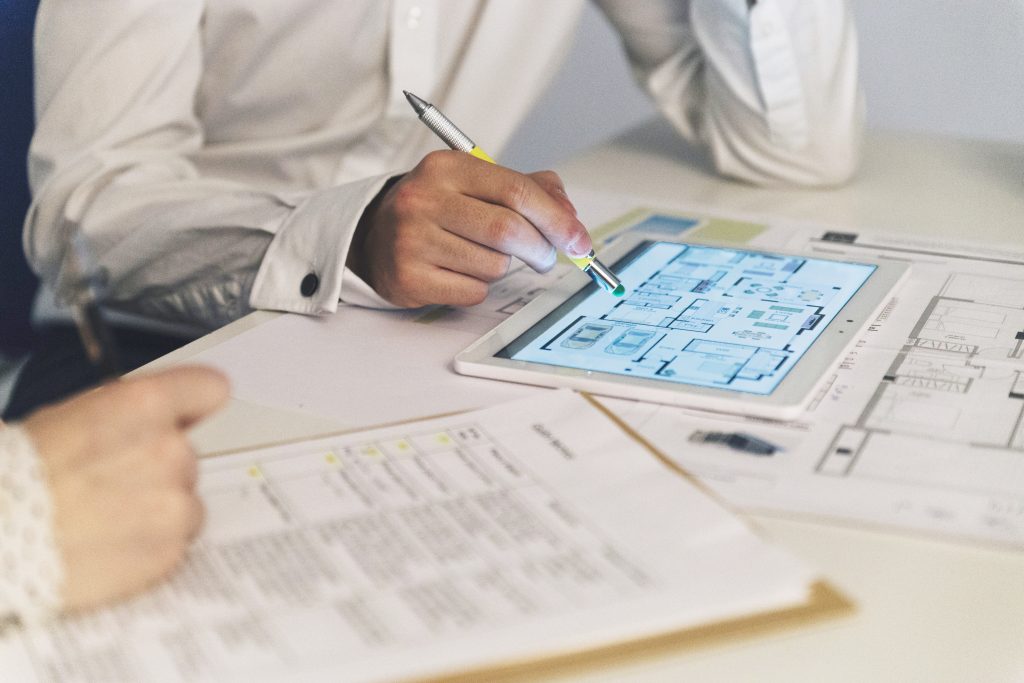
Understanding the construction process is key but equally important is using the right tools. Construction management software helps contractors, builders, and teams streamline tasks like project planning, document control, budgeting, and collaboration. These tools improve communication, reduce delays, and enable real-time tracking of progress and costs.


Essential Features to Look For

A good construction project management tool should offer:

  • Task Management — assign and track work progress
  • Scheduling — plan resources, set milestones
  • Document Management — store permits, contracts, and blueprints
  • Cost & Budget Tracking — manage expenses and bids
  • Team Communication — chat, comment, and tag team members
  • Resource Allocation — track manpower and equipment
  • Accounting Tools — manage project finances
  • Third-Party Integrations — connect with CRM, ERP, or design tools

What to Consider Before Choosing a Tool

  1. Pricing — most tools offer free basic plans; ensure the features included provide genuine value without hidden costs
  2. User Reviews — feedback from reliable sources helps gauge software reliability and support quality
  3. Integration Capabilities — the tool should work with your existing systems like accounting or design tools
  4. Free Trials or Plans — look for tools offering free plans or trial periods to test usability before committing
Top 5 Free Construction Project Management Software

Top 5 Free Construction Project Management Software

1. ClickUp — Best for Comprehensive Project Management

  • Unlimited tasks and users
  • Gantt Chart View for timeline tracking
  • Map View for on-site logistics
  • Comment tagging and custom fields
  • Visual proofing and column calculations

2. OrangeScrum — Best for Open-Source Resource Management

  • Real-time dashboards
  • Time tracking & timesheets
  • Resource scheduling tools

3. Asana — Best for Visual Task and Project Planning

  • Calendar & board views
  • Custom fields
  • Role-based permissions

4. Clockify — Best for Time Tracking and Billing

  • Manual or timer-based logging
  • Billable hours tracking
  • In-depth reporting
  • Location tracking

5. OpenDocMan — Best for Document Management and File Tracking

  • Version control and revision history
  • User permissions
  • File categorization

Build Your Construction Management Career

Understanding how to use these tools becomes more impactful when backed by proper knowledge. That’s where MITSDE’s Construction Management programs come in:

PG Diploma in Construction and Project Management — learn to manage consultants, builders, and site teams effectively, gaining theoretical and practical skills to lead complex construction operations.

PGDM Executive in Construction and Project Management — designed for professionals aiming to manage large-scale construction projects across residential, commercial, and industrial sectors, covering cost control, resource allocation, and legal compliance.

FAQ's

  • 1. What is the best free construction project management software?

    ClickUp is generally considered the best all-round option due to its unlimited users, Gantt chart timelines, and comprehensive feature set, though the "best" tool depends on your specific needs.

  • 2. Which free tool is best for time tracking on construction projects?

    Clockify is specifically designed for time tracking and billing, offering manual/timer-based logging and in-depth reporting.

  • 3. What features should I look for in construction project management software?

    Task management, scheduling, document management, cost/budget tracking, team communication, resource allocation, accounting tools, and third-party integrations.

  • 4. Are these construction project management tools genuinely free?

    Most offer free basic plans with limited features always check whether the free tier meets your project's actual needs before assuming a paid upgrade isn't necessary.

  • 5. Which tool is best for document management in construction projects?

    OpenDocMan specializes in document management and file tracking, offering version control, revision history, and file categorization.

  • 6. What qualification helps build a career in construction project management?

    A PG Diploma in Construction and Project Management, or an Executive PGDM in the same field, builds both theoretical and practical skills for managing complex construction operations.

Final Thoughts

If you are planning to upskill, explore a unique and fast-growing field like Construction Project Management. With free CPM software tools and industry-relevant courses from MITSDE, you can take your career to the next level efficiently, affordably, and with the right support.